
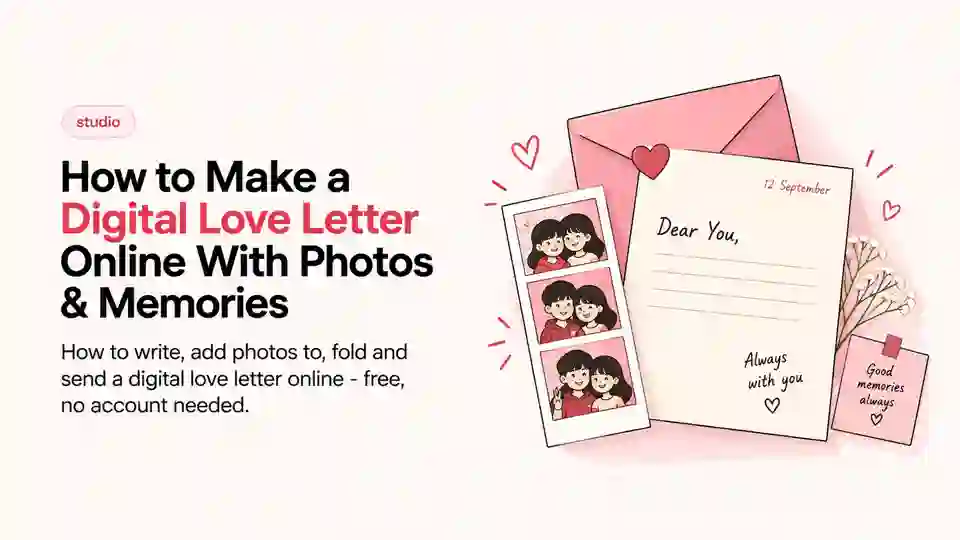
Quick answer: LensBooth Letters lets you write a letter on digital paper, attach photos or strips, and fold it into an envelope. You send it as a private link, with no account needed. Letter links are deleted after 30 days.
A text says what happened. A letter says you thought about how to say it. That's the whole case for a digital love letter. It isn't just prettier than a message. Writing one takes long enough that you really think about what you say. Attach a strip from our online photobooth for couples to make it even more personal.
LensBooth Letters is a realistic paper letter you write on the page. You attach photos, fold it and seal it in an envelope. This is what it's for, what to put in one, and how to make one.
What is a digital love letter?
It's a letter that keeps the gestures of a real one, like writing, folding and sealing. It's just made and sent online. The point isn't to imitate paper for its own sake. Those gestures make a letter feel like an event, not a message. You sit down, write, fold it closed, and only then does it go anywhere.
A digital love letter isn't only for couples, despite the name. It works for a friend who moved away, a parent or a thank-you note. Use it whenever a text feels too quick.
It also solves a problem a message can't. A photo alone loses its context within a week, and a message alone has no image. A letter puts both on one page, so each explains the other. Neither one needs a caption doing all the work.
What to put in a digital love letter
A blank page is the hardest part of any letter. A few things worth including, in whatever combination fits:
- The actual message. Decide first whether it's about one thing, like a trip or an apology, or more general. That changes how you open it.
- A favorite photo, or a photo strip. A single image tied to the letter's subject does more work than a paragraph describing it.
- A meaningful date. When you met, when something happened, or just today's date written the way you'd write it by hand.
- A location. Where you are, where they are, or where the memory took place.
- Small decorations or stickers. Not required, but they're what stop a letter looking like a printed document.
- An inside joke or specific memory. The single most effective way to make a letter feel like it could only have been written to one person.
How to create one in LensBooth
The actual process, start to finish:
- Open Letters in Studio. Go to LensBooth Letters to start.
- Start a letter. You'll land on a blank page ready to write on.
- Write your message. Type directly onto the paper.
- Add photos or photo strips. Upload an existing photo, or attach a photo strip you've already made in LensBooth.
- Adjust what you've added. Resize and move the photo, date, location and decorations until the page looks right.
- Fold the letter. Once you're happy with it, fold it the way you would a physical letter.
- Place it in the envelope and send. Share it using one of the supported outputs, or save it.
The whole thing takes a few minutes. You don't need an account or any software. It runs in the browser, on desktop or mobile.
Digital love letter ideas
A few starting points, if you're staring at a blank page:
- Long-distance relationship. A letter on no special occasion often means more than one tied to an event. It says you thought of them on an ordinary day.
- Anniversary. Pair it with a photo strip from the actual date, or from as close to it as you have.
- Birthday. A letter reads as more considered than a card, without much more effort.
- Travel memory. Write it while you're there, or afterward. Both work.
- First-date memory. Revisiting the specifics of how something started tends to land better than a general "I love you."
- A thank-you note. For something that a text would undersell.
- A letter to a friend. The format isn't romantic by default. It works just as well for friendship.
These are starting points, and what you write is up to you. It works for a big occasion or none at all. A letter on an ordinary Tuesday often feels more real than one the calendar demanded.
Digital letter vs. sending a normal message
Neither is objectively better; they do different jobs.
| Digital letter | Normal message | |
|---|---|---|
| Time to send | A few minutes | Seconds |
| Feels like | An event | A conversation |
| Best for | Something considered | Something quick |
| Carries photos well | Yes, built in | Attached separately |
| Reread later | Feels intentional | Gets lost in the thread |
A normal message is right for most of a day's communication. A letter is right for the handful of things worth more than a normal message.
If you'd rather record than write
Not every message wants to be written. Want to send your voice instead of your writing? A digital cassette does the same job with a recording. It's built to be kept, not heard once and forgotten.
The best photo to attach is one you took together. Make a strip with them in our Duo Booth for long-distance couples, or take one alone in the free online photo booth. Letter links are private and deleted after 30 days, so remind them to save it. Prefer a print? Start in the online photo booth with no app and post the strip too.
Frequently Asked Questions
What is a digital love letter?
It's a letter on realistic digital paper, with photos, a date and small decorations. You fold it into an envelope before sharing, just like a real letter.
Can I add photos to a digital letter?
Yes. You can add or upload photos or photo strips, then resize and reposition them on the page.
Can I make a digital letter for a friend?
Yes. It isn't only for romance. It works for friends, family or anyone a normal text would undersell.
Can I share a digital love letter online?
Yes, using the supported sharing options once the letter is finished, or you can save it.