
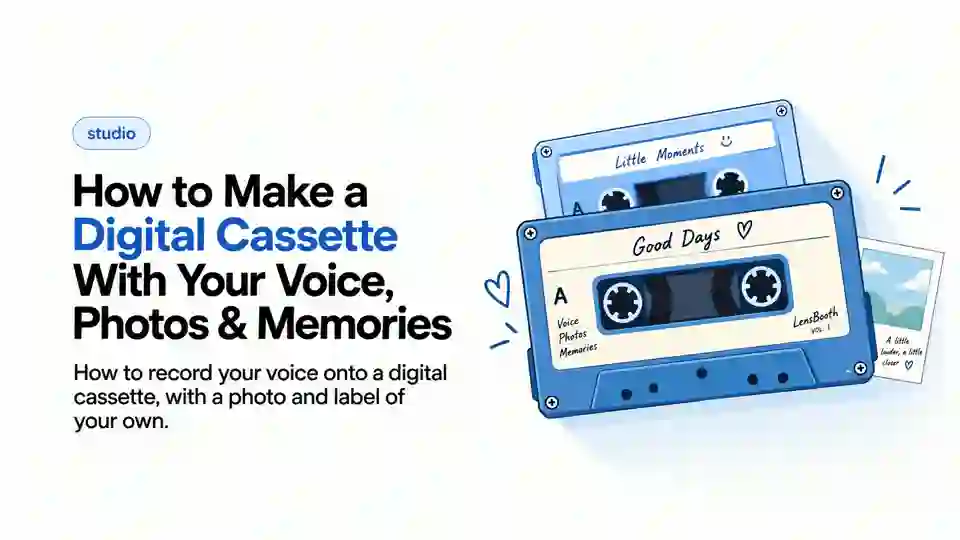
Quick answer: a digital cassette is a voice message recorded onto a virtual tape, with your photo and a short note on the label. You send it as a private link, and it plays in an animated tape player. Cassette links are deleted after 30 days.
A voice note is a recording. A digital cassette is a recording someone opens on purpose. The audio can be identical. What changes is everything around it, like your cover, a photo label and a small ritual before it plays. That's what turns a thirty-second clip into something worth keeping. Pair it with a strip from our online photobooth for a gift that looks and sounds like you. Take one solo in the free online photo booth to use as the cover.
Here's what a digital cassette actually is, what you can put on one, and how to make one in LensBooth.
What is a digital cassette?
It's a voice recording wrapped in the format of a cassette tape rather than a bare audio file. Three things separate it from the alternatives:
Versus a normal voice note. A voice note is one tap and gone, with no cover or context. It gets lost in a chat thread. A cassette has a cover you customize and a label with a photo and text. It looks like something, not just sounds like it.
Versus a static photo. A photo freezes a moment but says nothing in your own voice. A cassette does the opposite. It's built around your voice, with the photo in a supporting role.
Versus a generic audio recorder. A plain recording app gives you a file. A cassette gives the listener a small, physical-feeling moment. They watch it slide into a player before it starts.
None of this changes what a recording actually is technically. What changes is the presentation. That's most of what makes something worth keeping instead of deleting.
What can you put on a digital cassette?
- Your voice. The heart of it, a real recording, not typed text read aloud.
- One photo. Cropped, repositioned and zoomed until it sits right on the label.
- Short text. A line or two, like a title, a name or a note.
- An optional date. When it was made, or a date that matters to what you're saying.
- A cover and label design. Customize how the cassette itself looks before anything else goes on it.
How to create a digital cassette in LensBooth
- Open Cassette Studio. Go to LensBooth Cassette to start.
- Choose and customize a design. Pick a cassette style and adjust the cover and label.
- Add your photo. Crop, reposition and zoom it until it fits the label.
- Add text and a date, if you want them. Both are optional.
- Record your voice. Start recording whenever you're ready.
- Preview it. Listen back before deciding it's done.
- Re-record if it's not right. No limit on doing it again until it sounds how you want.
- Broadcast or share it. Send it once you're happy with it.
- The receiver plays the cassette. They watch it slide into a player, then press play to hear you.
Nothing about the process needs an account, and it runs in the browser on desktop or mobile.
Digital cassette ideas
- Birthday voice message. Says more than a written message, and takes about the same effort.
- Long-distance message. For when a text feels too flat for what you actually want to say.
- Travel memory. Record while you're there, or talk about it afterward. Both work, and the photo can be from either moment.
- Friendship message. Not everything has to be romantic; a cassette for a friend works exactly the same way.
- A personal story. Something you'd rather tell than type. Long stories work better as voice than as a wall of text.
- An audio-memory snippet. A short recollection of one specific moment, kept exactly as it sounded when you first said it out loud.
Including a song? Make sure it's yours to share or you hold the rights. LensBooth doesn't license anyone else's music.
Why add a photo to a voice message?
A recording alone has no anchor. Months later, it's not always clear what it was about. A photo pins it to a specific moment, the same way a caption pins a picture. Together, each fills in what the other misses. The photo shows how things looked, and the voice says how it felt.
It also changes how the recording gets received. A voice note that arrives with no context asks the listener to guess what they're about to hear. A cassette with a photo and date tells them what it is first. They choose to listen instead of being surprised by a random file.
If your message doesn't have one recipient
A cassette is built for a specific person. Want to hear a voice not meant for you, or leave one for a stranger? LensBooth Radio is built for that.
For the cover photo, a strip works beautifully. Take one with the person you're sending it to in our Duo Booth for long-distance friends. You can also take one alone in the free online photo booth. Cassette links are private and deleted after 30 days. Tell the listener to save anything they want to keep.
Frequently Asked Questions
What is a digital cassette?
A voice recording on a cassette you customize, with your photo and text on the label. The listener opens it like a real tape before it plays.
Can I record my own voice on a digital cassette?
Yes, that’s the core of it. You record, preview and re-record as often as you like before sending.
Can I add a photo to a digital cassette?
Yes, one photo, which you can crop, reposition and zoom to fit the label.
How is a digital cassette different from a normal voice message?
A normal voice message is a bare recording. A cassette wraps it in a cover and label you design, with a photo and text. The listener watches it load into a player first.