
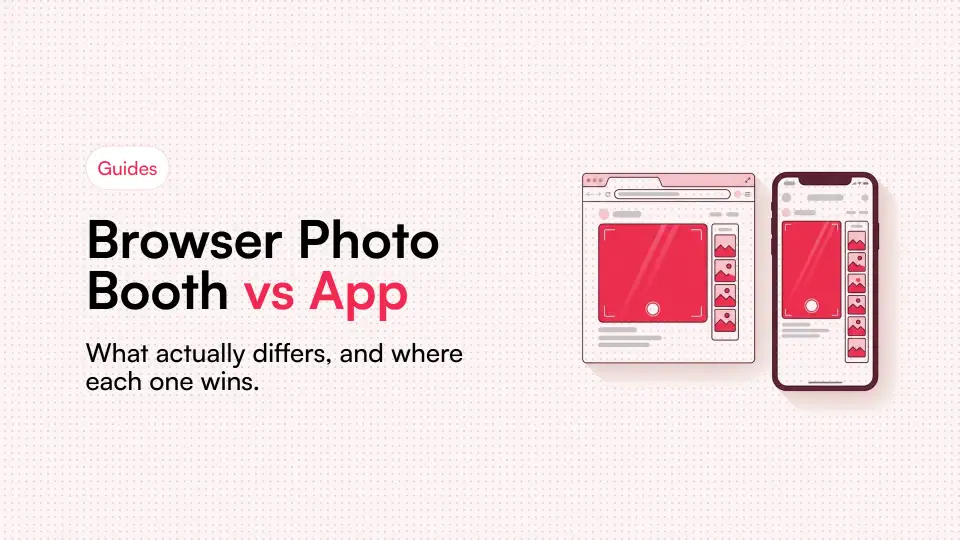
Search for a photo booth on your phone and you'll be offered an app. Try the same search on a laptop and you'll get a website. Both do roughly the same job, so the choice usually gets framed as taste.
It isn't just taste. The two differ in privacy, in how easily other people can join, and in what happens to your photos. They also differ in whether the thing still exists in three years. Those gaps matter more than any feature list.
This is an honest comparison, including the places where an app really is the better choice.
The core difference in one line
A native app is software you install on your device. Browser booths run inside a sandbox your browser already has, and they vanish when you close the tab.
Almost everything else follows from that one difference. An app gets deeper access and sticks around, while a browser gets less access and leaves nothing behind. Whether that helps you depends on what you want from it.
| Browser | Native app | |
|---|---|---|
| Setup | Open a link | Store, download, install, account |
| Storage used | None permanent | 50-300 MB typical |
| Works on desktop | Yes | Rarely |
| Sharing with others | Send a URL | They must install it too |
| Camera access | Per-session, revocable | Persistent once granted |
| Background data | None when closed | Possible |
| Offline use | Limited | Usually full |
| Access to device photos | Only what you choose | Often the whole library |
| Updates | Automatic, invisible | Manual or store-managed |
Where the browser genuinely wins
Getting other people involved
This is the decisive advantage, and it isn't close. Getting a friend to open a link takes seconds. Asking them to install an app, make an account, and grant permissions takes minutes. A fair number of people simply won't bother.
Think of a partner in another country, or forty party guests each taking one strip. For anything with a second person, installing is a wall. Every extra step loses people, while a link loses almost nobody.
That's why our Duo Booth works from a link alone. The story behind it is in why we built Duo Booth.
It works on the device you're actually using
Photo booth apps are mostly phone-only. A laptop, though, has a bigger screen and a webcam already pointed at your face. It sits on a table at the right height without anyone holding it. That's much closer to a real booth. One link opens a browser booth on a laptop, tablet, phone or desktop.
Nothing piles up
An app you used twice is still on your phone, still taking up storage. It may still hold camera and photo permissions, and it can still send notifications. A tab you closed is simply gone.
The permission model is narrower
Browser camera access is granted per site and per session, after a deliberate tap. It needs an encrypted connection, and you can revoke it in two clicks. An app with camera and photo access keeps it until you remove it yourself.
That stricter model is annoying when the camera won't start. Our guide to fixing browser camera problems covers that, but the annoyance is the security doing its job.
Where the app genuinely wins
Apps have real advantages too, and skipping them would be dishonest.
Offline
An app works on a plane, on a mountain, or in a basement venue with no signal. A browser tool needs to load at least once first. If you'll be shooting somewhere with no connection, pick an app.
Raw camera control
Native apps can reach manual focus, exposure, RAW capture, lens switching and depth data. Browsers only expose a thin slice of the camera. If you want to set shutter speed, a browser can't help you.
Sustained heavy processing
Face tracking, complex AR effects and long video processing all run faster natively. Browsers have closed much of that gap with WebGL and WebAssembly. Even so, a demanding effect will still look smoother in an app.
Deep OS integration
Share sheets, widgets, notifications, direct camera-roll saves and Live Photos all belong to apps. Browsers can manage some of these but not the rest.
What happens when the booth itself is an app
Some booths built for couples now ship as apps. GetAngie, for example, runs on the web and also offers an iPhone app. That's handy for the person who set it up.
The person you invite is a different story. If they're on Android, or on a work laptop, the app path doesn't help them. They need the web version, or a booth that never needed installing. With two people in two places, the booth only works if the second person can get in quickly.
We compared the two directly in LensBooth vs GetAngie. For the wider field, see our best virtual photo booth roundup.
The privacy question people actually mean
When people ask whether a browser booth is safe, they usually mean one thing. Where exactly do the photos end up?
That's a fair question, and the honest answer depends on how the booth is built. Apps and websites can both process everything locally. Either one can also upload everything to a server. The label alone tells you nothing.
Here's what you can reasonably check, whichever you pick.
- Does it require an account? Without one, there's no profile for your photos to be attached to.
- Does it still capture with the network off? If it does after loading, the processing is happening on your device.
- What does the privacy policy say about retention? Look for how long things are kept and whether they're used for training or ads.
- How much does it ask for? A booth that wants your contacts, location and full photo library is asking for more than it needs.
The browser's real advantage is narrower than "browsers are private", but it's real. A closed tab has no background process, no lasting permissions, and no way to act until you reopen it. An installed app keeps all three.
The longevity problem
Hardly anyone talks about this, yet it matters more than any feature. Photo booth apps have a poor survival rate. They get bought, abandoned, pulled from the store, or broken by an OS update. Anything stored only inside one can become unreachable.
Browser tools aren't immune, since sites shut down too. Your strips, though, are downloaded files in your own storage. They're standard images that anything can open, with no locked library to lose.
That's the strongest argument for downloading, and ideally printing, anything you care about. A file you hold lasts in a way a file inside someone else's app doesn't. Our guide on how to print photo strips at home walks through it.
A straightforward way to decide
Choose a browser booth if any of these sound like you.
- More than one person is involved, especially someone outside the room.
- You want it to work on a laptop as well as a phone.
- Guests at an event need to use it without installing anything.
- You'd rather not add another app to your phone.
- You want to try it once before committing to anything.
Choose a native app if these fit better.
- You'll be somewhere with no connection at all.
- You want manual camera control or RAW files.
- Heavy real-time AR effects matter to you.
- You'll use it constantly and want it on your home screen.
For most people taking strips with others, the browser fits better. That's why LensBooth has no app and no account. Open a link, allow the camera, take your frames, and download the strip.
You can try that right now in our free online photo booth. Or start with the online photobooth for long-distance couples and friends if someone far away is joining.
What browsers can do now that they couldn't before
Browsers and apps are much closer than they were five years ago. Most comparisons online are out of date, so here's what changed.
- getUserMedia gives web pages direct camera access, with control over resolution and which camera faces you.
- WebAssembly runs image processing at close to native speed, so filters apply instantly.
- WebGL and WebGPU hand rendering work to the graphics chip.
- OffscreenCanvas and Web Workers move processing off the main thread, so the page stays responsive.
- Service workers cache the app, so a return visit loads from your device.
- The File System Access API lets a page save straight to a folder you choose.
The gaps that remain are full offline capture, manual camera controls and the heaviest live effects. For a photo strip, none of those really matter. If you're new to the format, our guide to what a virtual photo booth is covers the basics.
Frequently Asked Questions
Is a browser photo booth as good as an app?
For photo strips, usually yes, and for anything with other people it's better. Sending a link is far easier than asking someone to install an app. Apps still win on offline use, manual camera control and heavy AR effects.
Are browser photo booths safe to use?
Safety depends on how the booth is built, since apps and websites can both upload or stay local. A closed tab has no background process and no lasting permissions. An installed app keeps both until you remove it.
Do browser photo booths work offline?
Only partly, and it depends on the booth. A service worker can cache the page so a return visit loads without signal. Full offline capture is still one area where an app does better.
Why do photo booth apps need so many permissions?
Many ask for the camera, microphone, photo library, contacts and location. Only the camera is needed to take a photo strip. A tool that asks for far more deserves some caution.
Can a browser photo booth run on a laptop?
Yes, and a laptop is often the better device for it. The webcam already sits at face height, and nobody has to hold it. Most photo booth apps, by contrast, only run on phones.
Does a browser photo booth store your photos on a server?
On LensBooth, strips are made on your device in browser memory. Guest photos aren't stored permanently on our servers. Signing in with Google is optional and only saves strips to your private gallery.
Sources and further reading
- MDN: the WebRTC API - The peer-to-peer technology that lets two browsers connect camera to camera without an app or a server in the middle.
- Can I use: getUserMedia / Stream API - Current browser support for camera access, which is what determines whether a browser booth works on a given device.